

File Backup
Fast, Lightweight, and File-Focused Protection.
Backing up the entire system may not be necessary in every scenario. Backupera File Backup is the ideal solution, especially for large file servers or cases where only project files are important. It is much lighter than image backup and uses minimal server resources (CPU/RAM). It automatically backs up your critical documents, drawings, database export files, or media archives according to your schedule. Thanks to the Versioning feature, you can revert a file to yesterday's or last week's version in seconds to undo an incorrect change.

Key features
All the features your business needs
Advanced Filtering: Backup only specific extensions like .docx, .xlsx, or .pdf; save storage space by excluding unnecessary files like .mp3 or .avi.
Versioning: Keep as many old versions of changed files as you wish.
Network Share Backup: Backup shared folders (Network Shares) on your NAS devices or network directly to the cloud.
Block-Level Transfer: Shortens backup time by transferring only the changed parts of a large file (Delta Backup).
Encryption: Your files are encrypted with AES-256 before leaving your computer.
Technical Specs
Product capability matrix
Technical note
Technical capability matrices are updated per product. Feature availability can vary by license plan.
Features and Benefits
Fast File Backup and Restore
Back up your files quickly and restore them when needed. Save time and bandwidth by backing up only changed parts with block-level transfer technology.
Reduced Storage Consumption
Prevent the same files from being uploaded multiple times with client-side data deduplication. Optimize your storage costs and store only unique data.

Advanced Filtering Options
Backup only specific extensions like .docx, .xlsx, or .pdf; save storage space by excluding unnecessary files like .mp3 or .avi. Gain full control with include/exclude rules.
Versioning
Keep as many old versions of changed files as you wish. Revert to a file's previous version in seconds to undo an incorrect change.
Network Share Backup
Backup shared folders (Network Shares) on your NAS devices or network directly to the cloud. Centrally manage all shares on your local network.
Centralized Management
Monitor and manage all backup and restore operations from a single web console. Control Linux, macOS, and Windows systems from one place.
Backup Process
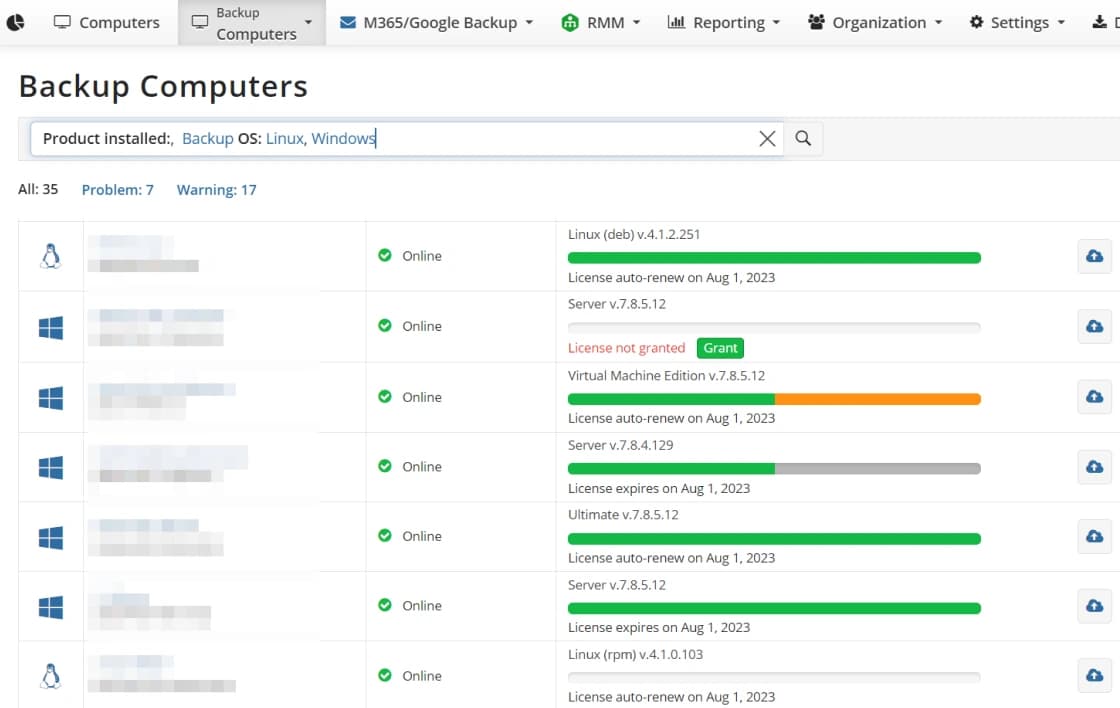
Centralized Management
Easily oversee and organize all your backup and restore tasks from a single panel.
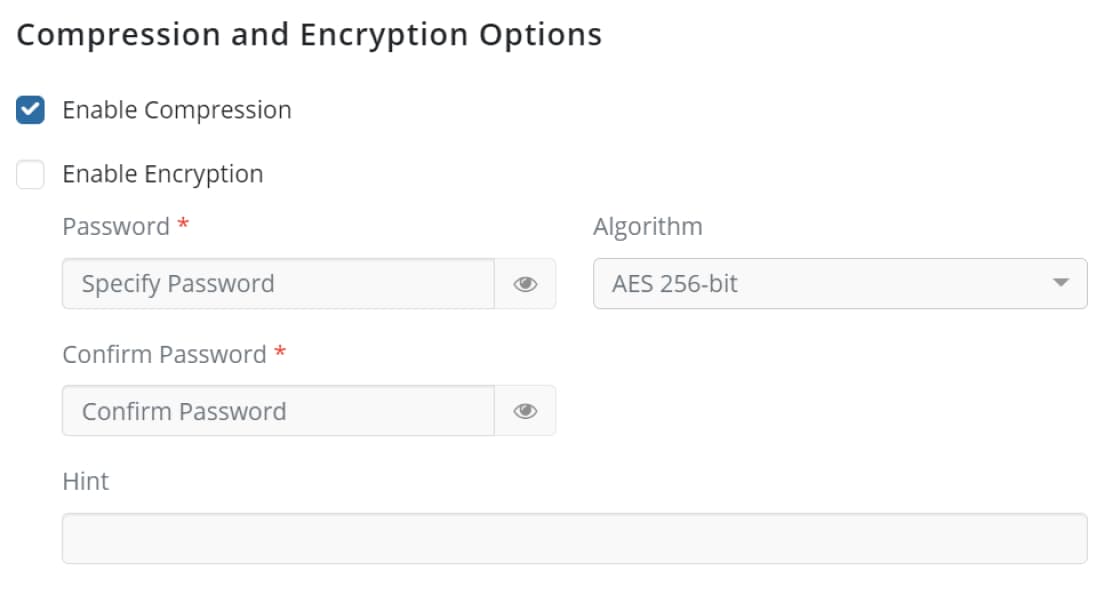
Strong Encryption
Protect your data with AES-256 encryption, ensuring only you can access it.
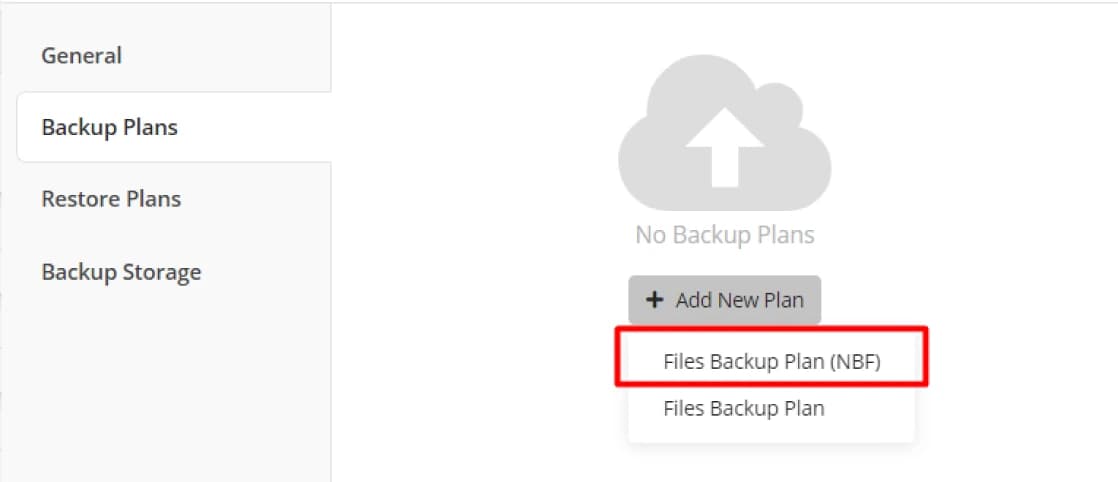
Advanced Backup Format
Back up large datasets quickly with client-side deduplication and optimized storage operations.
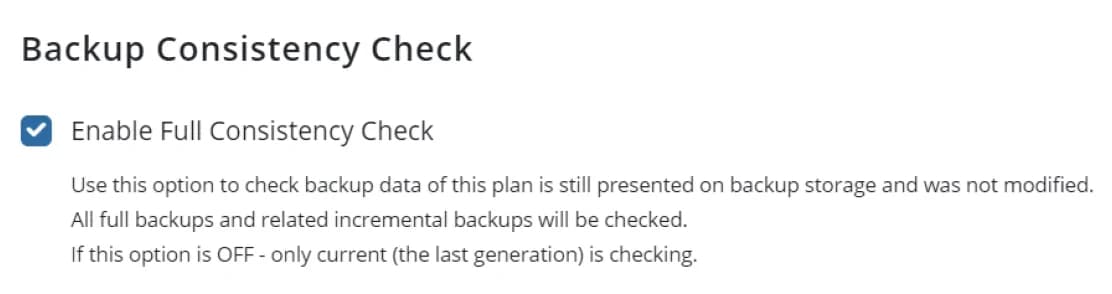
Data Consistency Check
Verify that your backed-up files are always recoverable with regular consistency checks.
Certifications and Awards
Recognized and awarded by industry leaders











Frequently Asked Questions
While image backup covers the entire system (OS, applications, etc.), File Backup focuses only on the critical files and folders you select. This allows backup operations to complete much faster, consume less storage space, and use minimal system resources (CPU/RAM).
Backupera supports leading cloud providers such as AWS, Microsoft Azure, Backblaze B2, Wasabi, as well as all S3-compatible storage areas. You can also store your backups on your local network NAS devices, USB disks, or a remote server.
Yes, thanks to VSS (Volume Shadow Copy) technology, your Excel sheets, Word documents, or other open files are backed up instantly without disrupting your workflow or experiencing inconsistencies.
Backupera intelligently compresses your files before transferring them. Additionally, with 'Block-Level Transfer' technology, when a file changes, it sends only the changed blocks instead of re-uploading the entire file, reducing your internet traffic and backup time by up to 90%.
Your data is protected with AES-256 bit encryption before it even leaves your computer. Additionally, by using 'Object Lock' in supported cloud storage areas, we make your backups 'immutable' (unchangeable) against ransomware and accidental deletion.
You can keep every change made to a file as a new version. This way, if you changed a file yesterday but want to return to its state from last week, you can select any point from the version history and restore it in seconds.
With our flexible scheduler, you can create daily, weekly, or minute-level periods. Additionally, you can automatically manage monthly and yearly archives of your data with GFS (Grandfather-Father-Son) retention policies.
The File Backup feature works fully and performantly on Windows (Desktop and Server versions), macOS, and all common Linux distributions.